Install Airfoil DAT to Sketch/Spline for Fusion 360
Installing an addin in Fusion 360 is pretty quick and easy. In this 3 step tutorial you will install the RC CAD Airfoil DAT to Sketch/Spline script which is needed to complete the “How to Design Wing” video tutorial.
Installation Steps
Download the RC CAD Airfoil DAT to Sketch addin Download Zip File
Unzip the file in a location of your choosing
Install the Addin - Press Shift+S to launch the addins panel
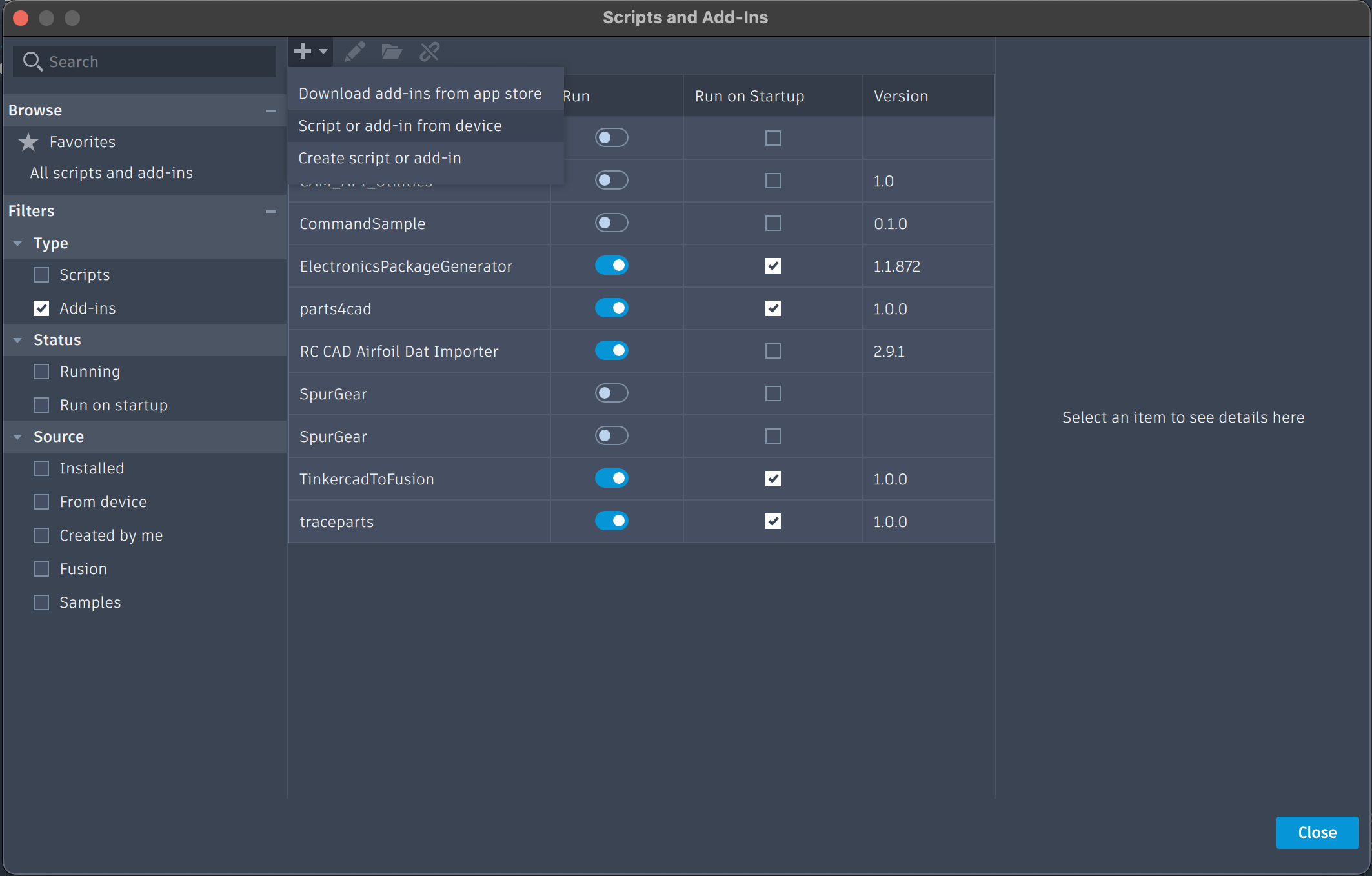
Type Shift+S on your keyboard, then Select the “+” icon and choose the option “Script or add-in from Device”
Important: Select the folder that contains the addin, not any of the files in the folder.
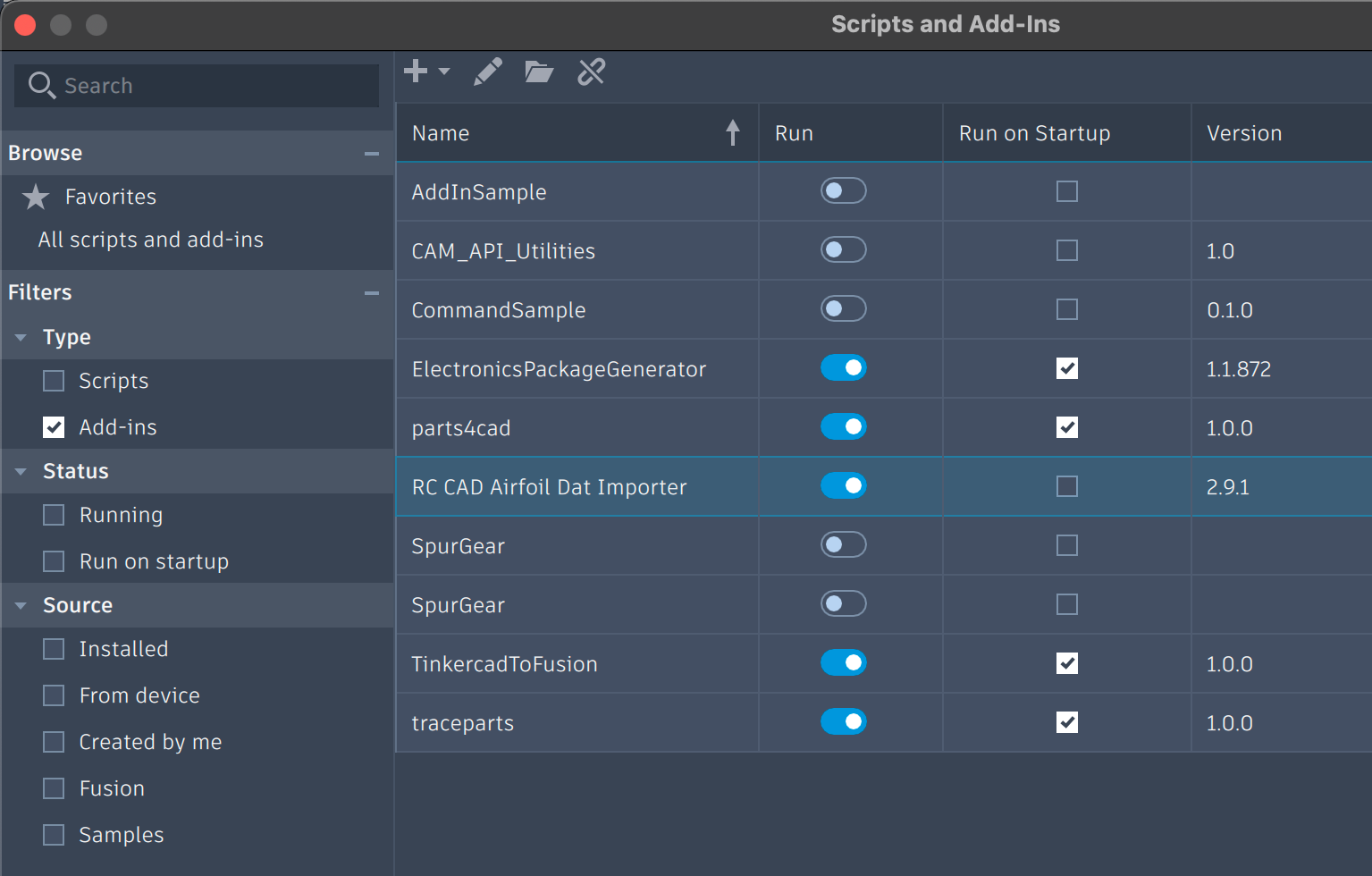
It should set automatically to run, if not, switch it to run and optionally check the “Run on Startup” option.
Using the Addin
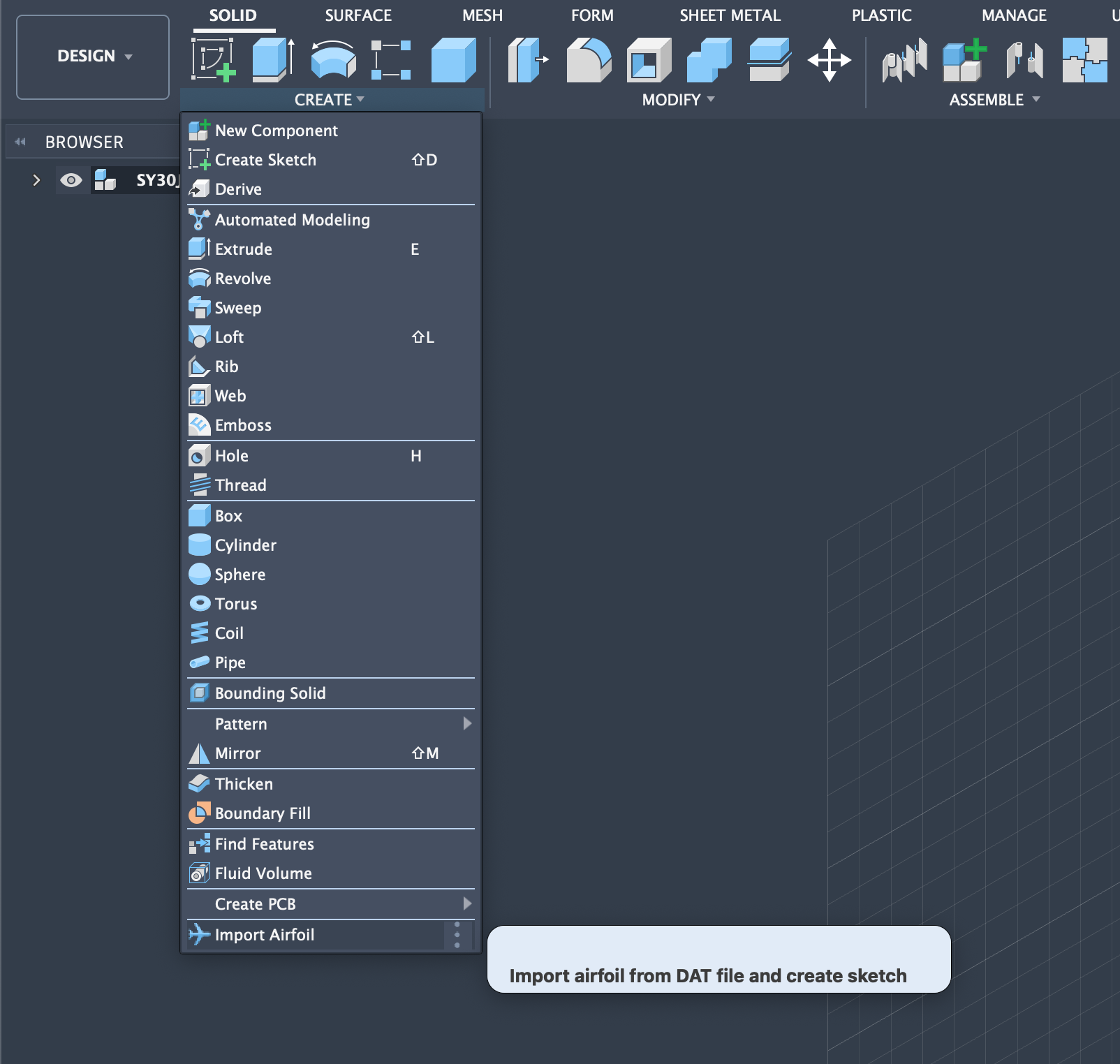
Once the Add-In is running, you can access it under the create menu in the solid modeling environment
How to use the Airfoils Script
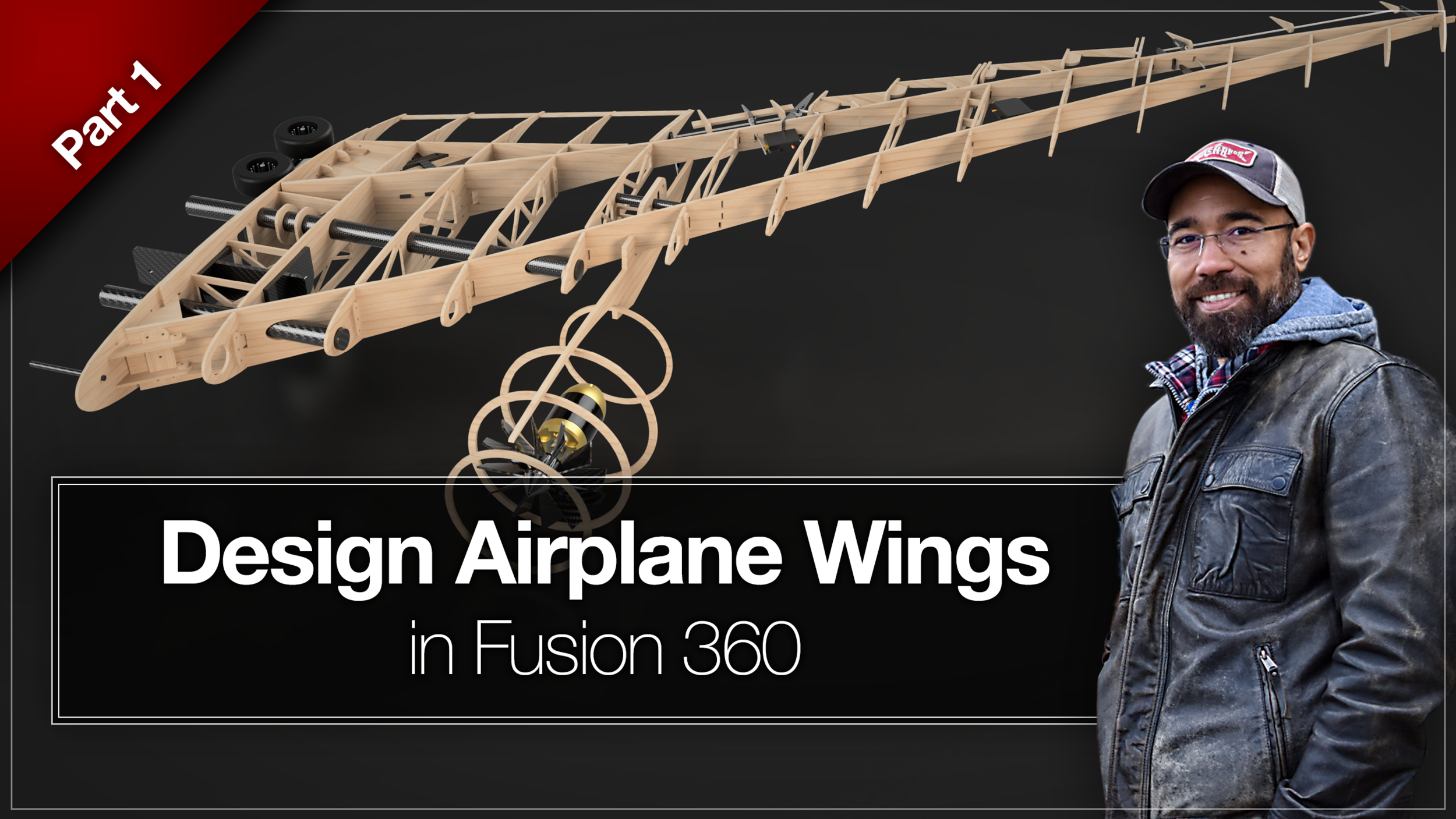
Once the script has been installed on your machine, it won’t be immediately obvious how to use it in your airplane design. Don’t fret, I have developed an entire tutorial on how to use the Airfoils DAT to Spline script.
Click here to Watch how to Design a Wing in Fusion 360